


Screen Unlock for iOS: Unlock iPhone & iPad
Regain full access to your iPhone or iPad in minutes with Unlock iOS — the most reliable iPhone unlock software for Windows. Bypass every type of lock including passcode, iCloud, Apple ID, and more without technical effort.

Unlock Screen Passcode
Remove any iPhone screen lock instantly — Face ID, Touch ID, or 4/6-digit passcode. Access your device again in just a few clicks.

Remove iCloud Activation Lock
Bypass iCloud activation lock safely and restore access to your device without Apple ID or previous credentials.

Unlock SIM Lock
Easily unlock iPhone carrier restrictions and switch to any SIM card or network without losing data or functionality.

Remove Apple lD
Erase the Apple ID linked to your iPhone or iPad and set up a new account to enjoy full access to all iOS features.
Bypass MDM Lock
Delete mobile device management (MDM) from work or school devices — no login or supervision required.

Remove Screen Time Passcode
Delete mobile device management (MDM) from work or school devices — no login or supervision required.

Decrypt iTunes Backup Encryption
Remove iTunes backup password protection to restore or access your encrypted iPhone data effortlessly.
Remove All Types of Lock Screen
No matter what’s locking your device — 4-digit code, 6-digit passcode, Face ID, Touch ID, or Screen Time password — Unlock iOS removes them all in minutes. This powerful iPhone unlock software for Windows helps you unlock iPhone without passcode or Apple ID, restoring full access without data loss or technical effort.
4-digit Passcode
6-digit Passcode
Touch ID
Face ID
Screen Time Passcode
All-in-One iPhone Unlocker for Apple ID and Screen Password Removal
Forget your Apple ID password or get a second-hand iPhone with the previous Apple ID logged in? iPhone unlocker(ios) performs well to remove Apple ID from your activated iOS device without the password, helping you regain control over your device and solve issues like iPhone security lockout.
Remove iCloud Activation Lock Without Password
Bought a second-hand iPhone still locked to the previous owner’s iCloud account? With Unlock iOS, you can bypass iCloud Activation Lock without Apple ID or password in minutes. No jailbreak or technical knowledge required — simply connect your device and unlock it instantly.
 Access iCloud backups, sync services, and Apple ID features
- Enjoy Apple Music, Podcasts, and iTunes downloads
- Maintain complete privacy with no data loss during unlocking.
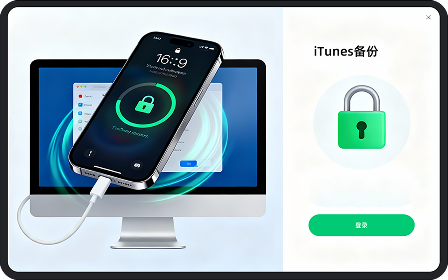
Remove iTunes Backup Encryption Without Password
Forgot your iTunes backup password and can’t restore your data? Unlock iOS helps you remove iTunes backup encryption without a password, allowing you to back up or restore your iPhone freely. The process is secure, fast, and compatible with the latest iOS versions.
- Instantly decrypt encrypted iTunes backups and remove the password.
- Create new backups without encryption limits.
- Restore your iPhone or iPad without losing valuable data.
Bypass MDM Lock on iPhone/iPad Without Credentials
Stuck on the Remote Management (MDM) screen after restoring your iPhone or iPad? With Unlock iOS, you can bypass MDM lock without username or password in just one click. The software ensures 100% success in removing MDM configuration profiles, giving you complete access to your device instantly.
Enjoy full control over your iPhone — no Apple ID, jailbreak, or technical skills required. Whether it’s a corporate, school, or pre-owned device, regain access and use your iPhone freely within minutes.
3 Steps to Unlock iPhone in Seconds
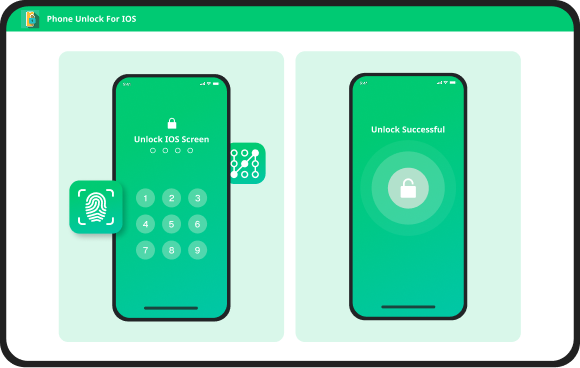
Step 1
Launch Unlock, click Screen Unlock i0S, and connect your i0S Device.
Step 2
Confrm your iPhone,iPad or iPod touchhas completed the jailbreak and click theUnlock Now button.
Step 3
Wait for a moment and your iPhone willbe unlocked successfully.
Testimonials from Users
4.68/5 Trustpilot 10582 reviews


Unlock iPhone – FAQs
Unlockdog iPhone Unlocker
Regain instant access to your iPhone, iPad, or iPod touch with Unlockdog iPhone Unlocker — the powerful iOS unlock tool for Windows. Remove iPhone screen passcode, Apple ID, or iCloud activation lock without password in just a few clicks.
Compatible with iOS 18 and earlier versions, Unlockdog ensures safe, fast, and reliable unlocking for all iOS devices — no technical skills or iTunes required.
Experience the easiest way to unlock iPhone without passcode today.